Everything for your project, in one login.
No more long email chains, shared folders and “which version is this?”. Your STRIXA client portal is one private place for approvals, files, dates and credits, made for the phone in your hand between patients.
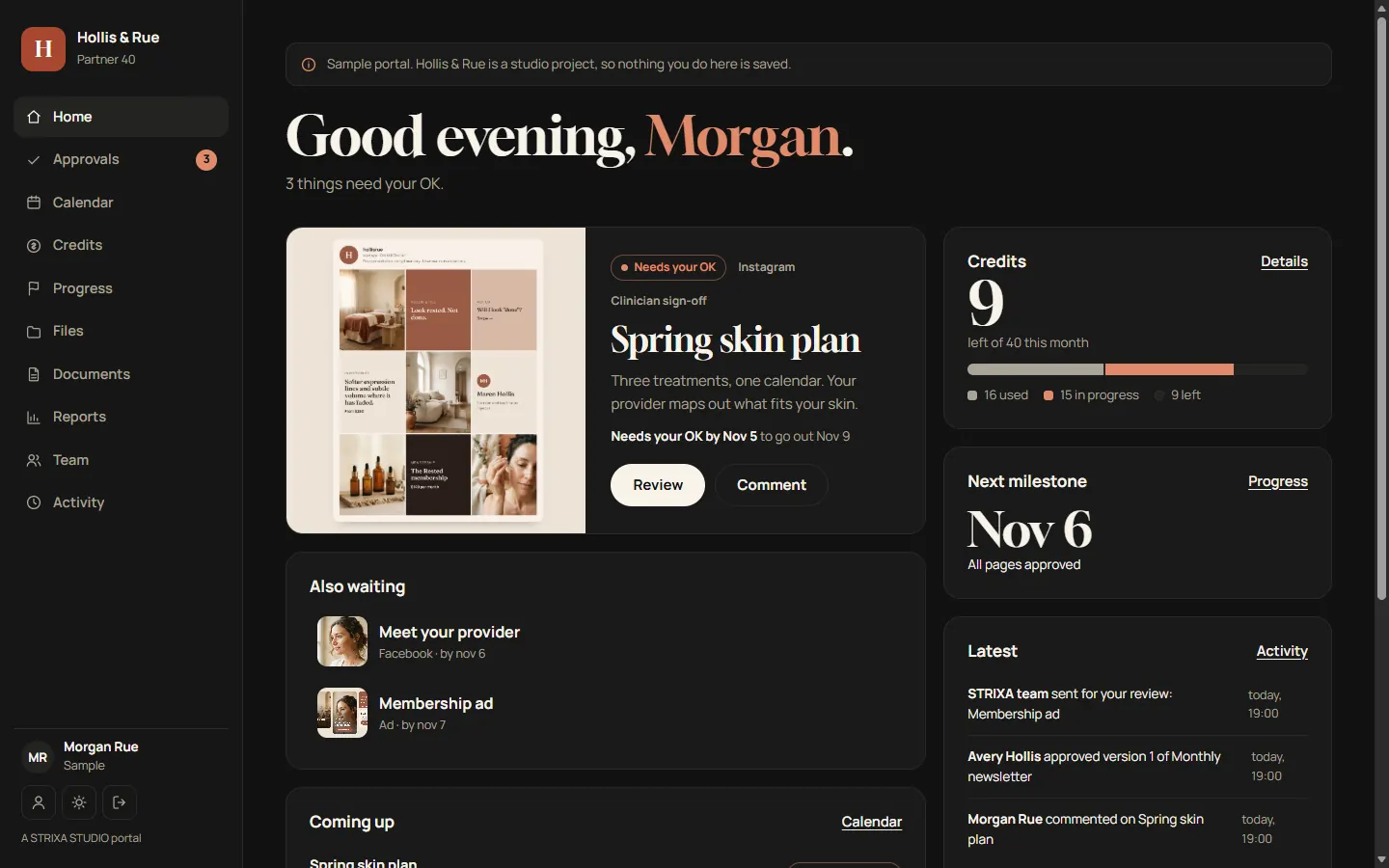
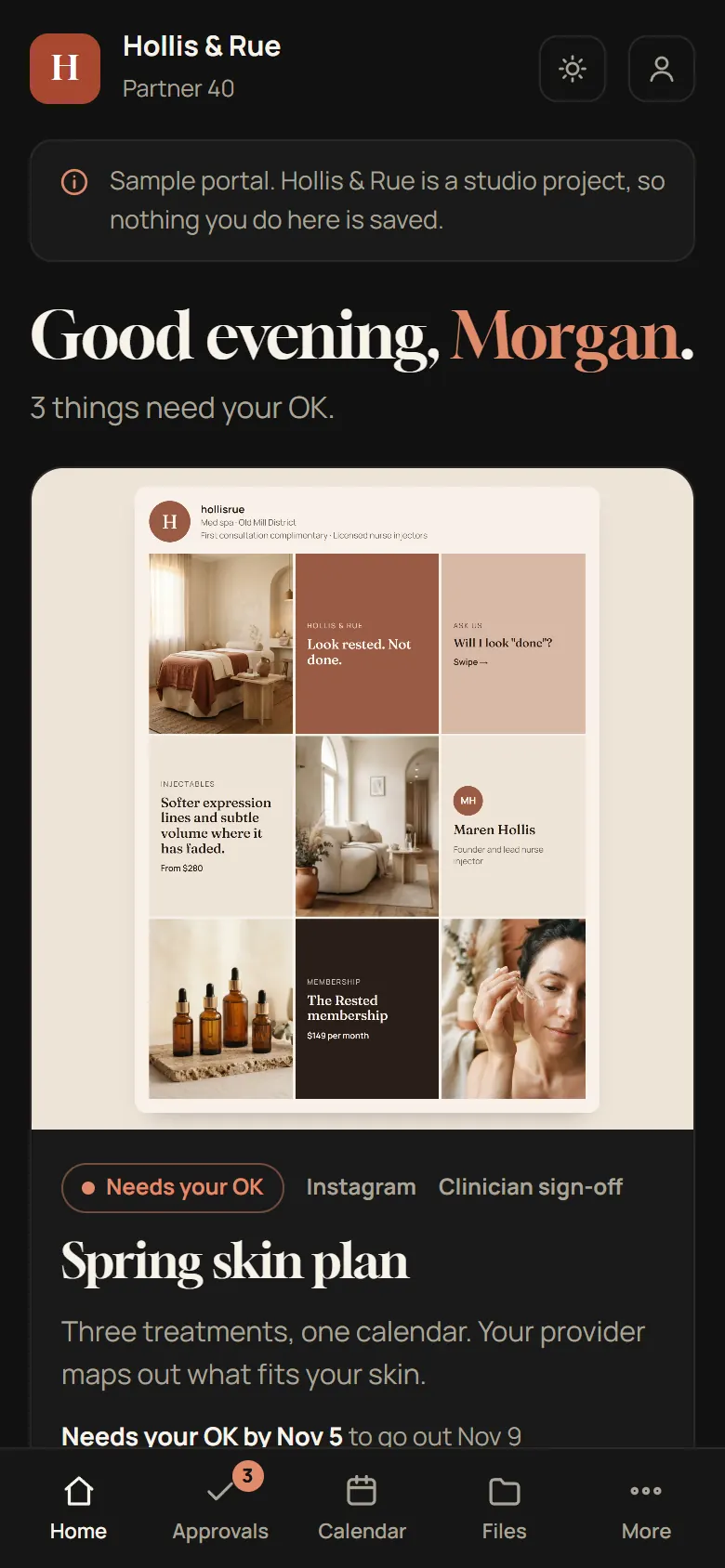
Shown with Hollis & Rue, a sample practice.
A client portal is your private project room.
It’s a private website that only your team and ours can get into. Everything about your project lives there, instead of being scattered across inboxes, chats and shared drives.
You open it, see what needs you, approve it and get back to your day. We see your feedback straight away, on the exact thing you’re talking about.
Approve in seconds.
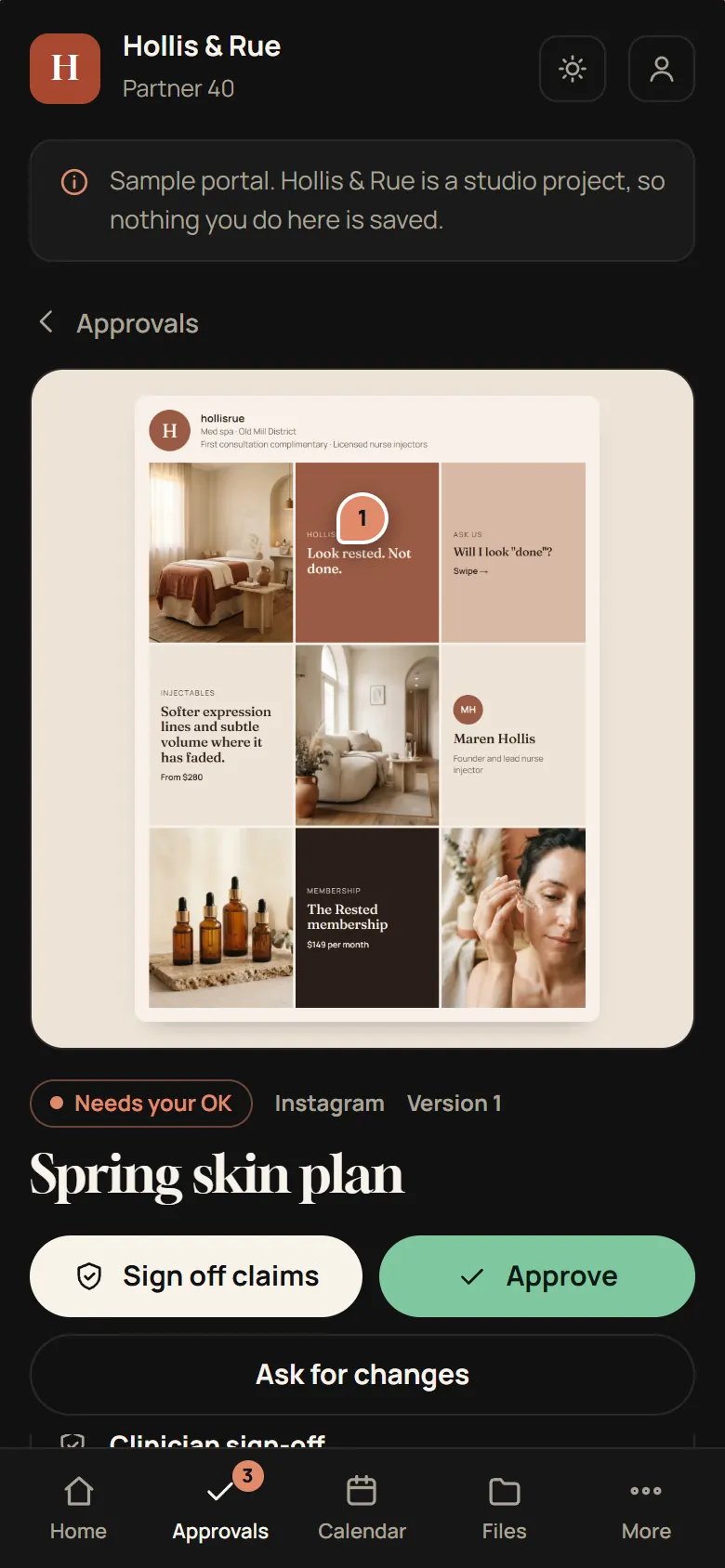
Open it on your phone between patients. Approve with one tap, or pin a comment on the exact spot you want changed. An approval covers the exact version you saw: if we change something, it comes back to you.
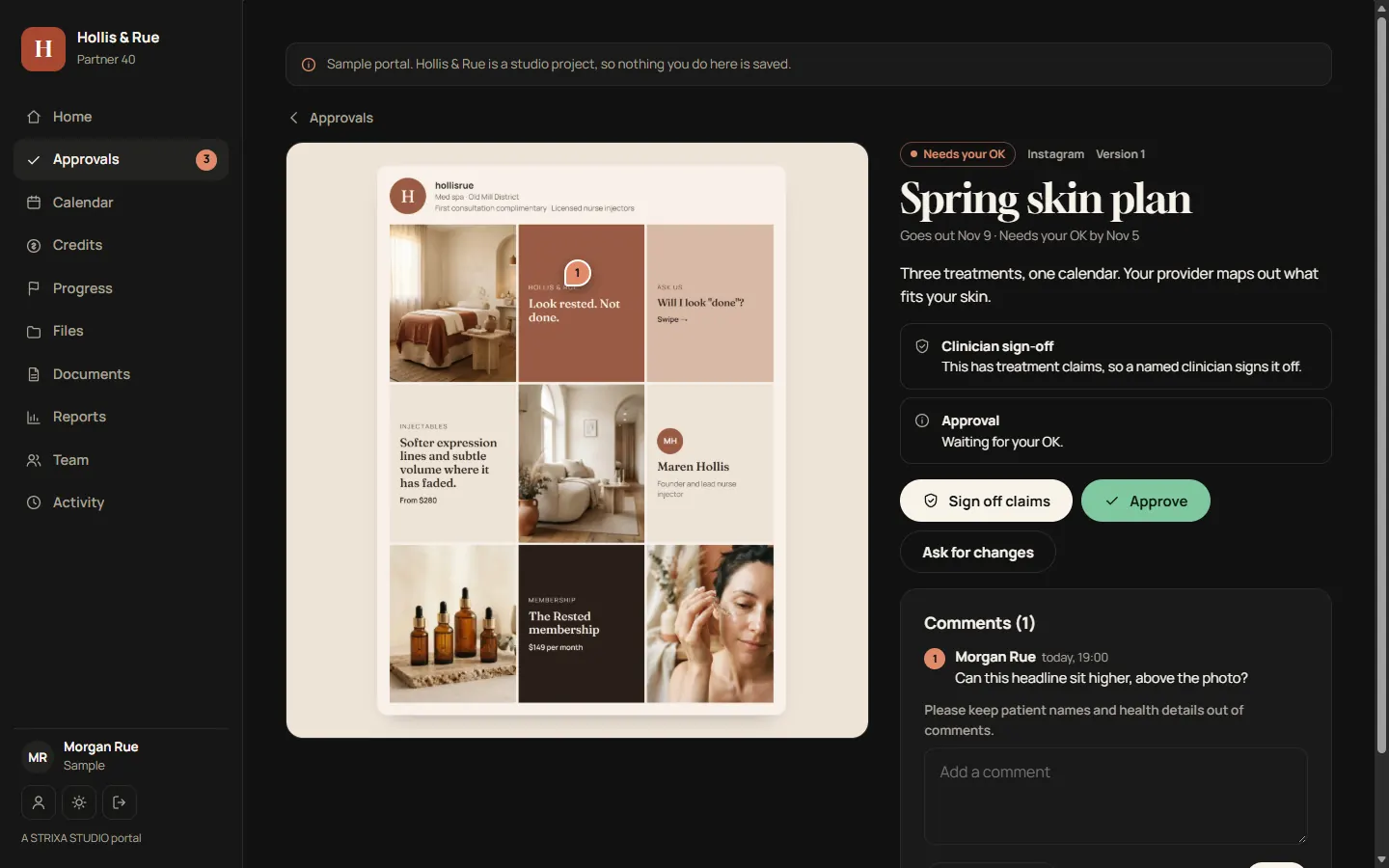
Treatment claims get a clinician’s name.
Anything with a treatment claim waits for a named clinician to sign it off, with their name and the time on record. The front desk can’t approve it by accident.
Always know what’s next.
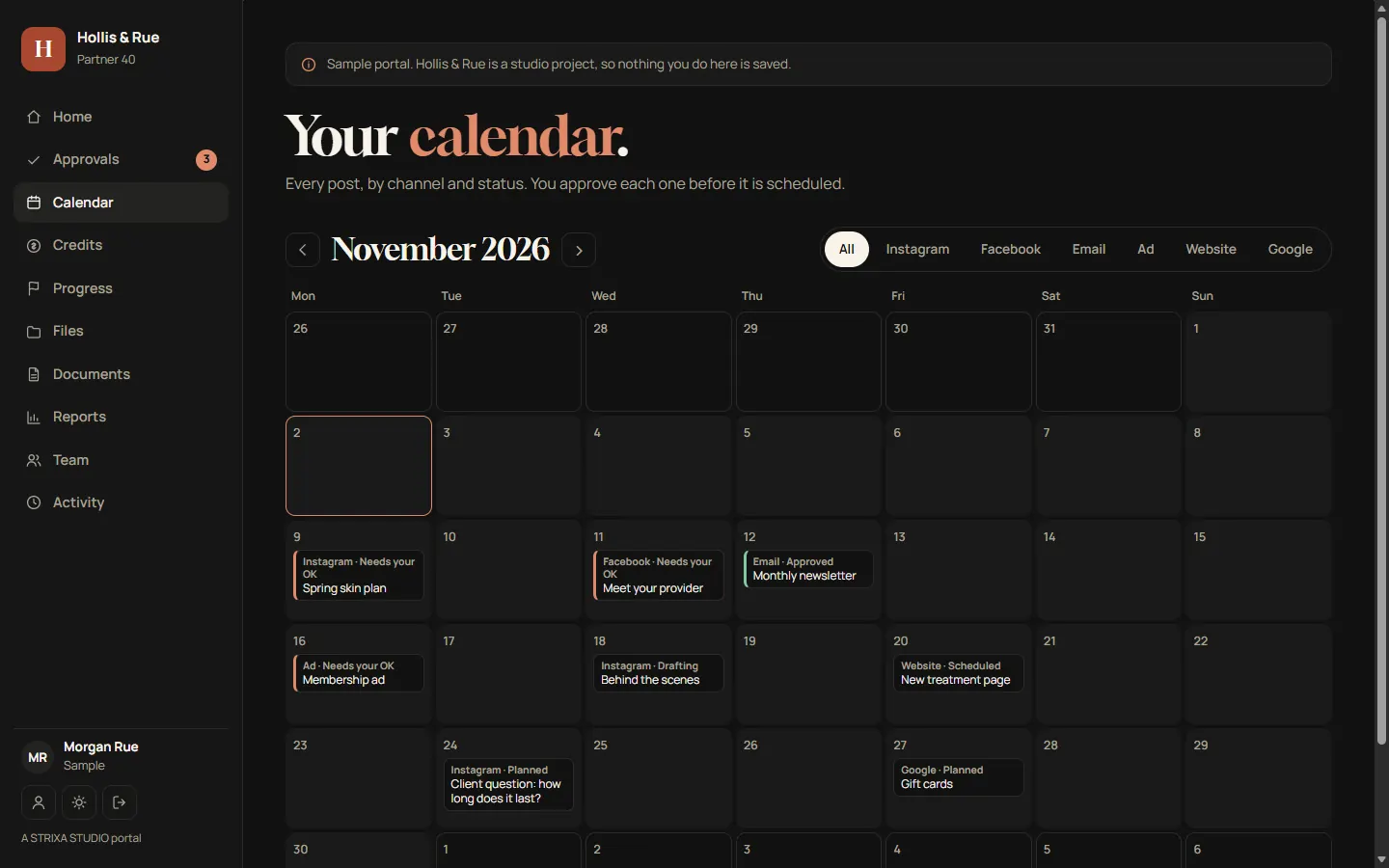
Every post by channel and status, what needs your OK and by when. Your milestones, payments and launch date sit one tap away.
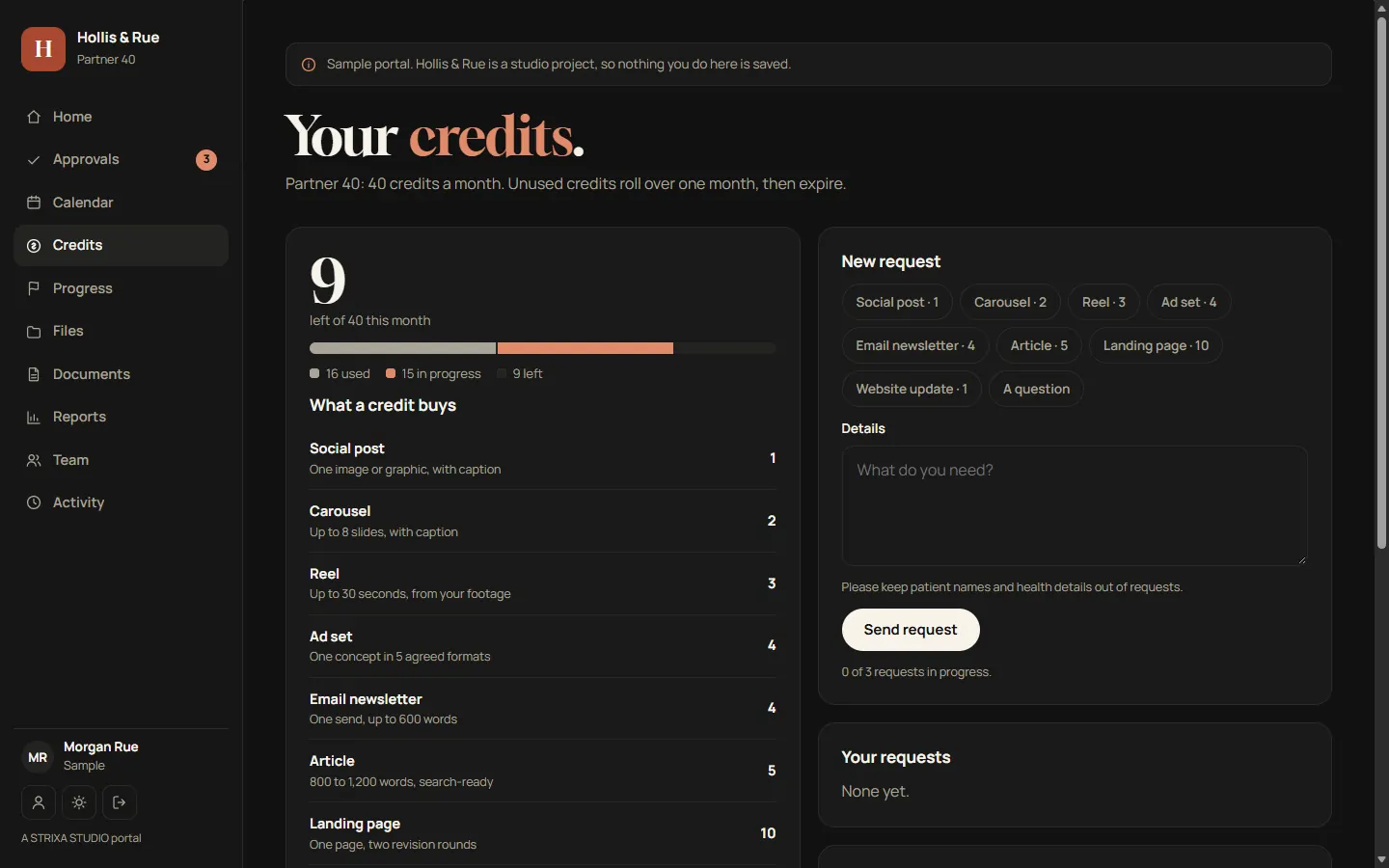
Credits you can see.
What you have, what’s in progress and what rolls over. Every request shows its credit cost before you send it, so there are no surprises on either side.
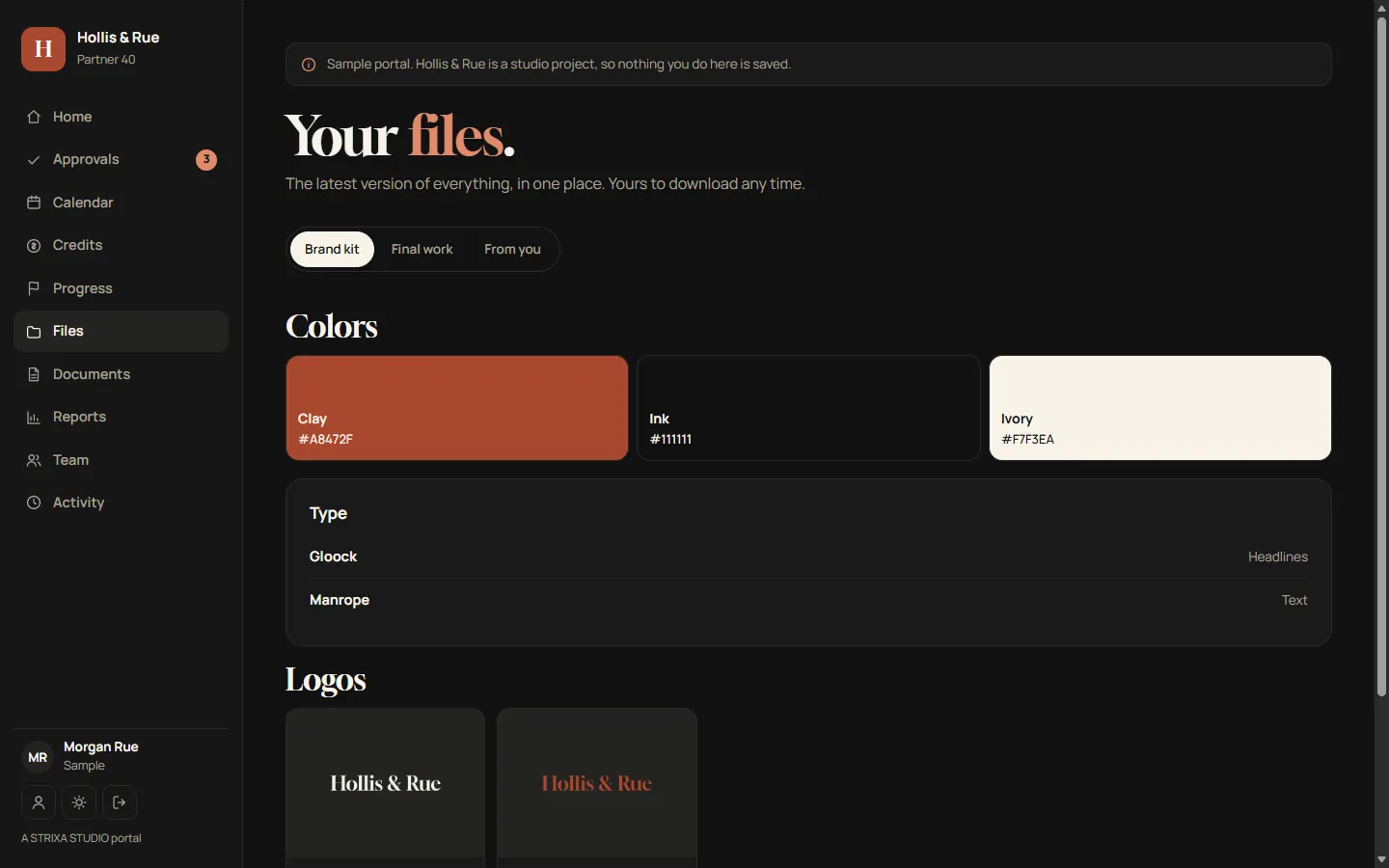
Your files, always current.
The latest logo, the final posts, your brand colors one tap from copied. Send us files by dragging them in, or from your phone. Nobody has to ask which version is the right one.
And the rest of your project.
Documents
Proposal, agreement and the list of what we still need from you.
Reports
Measured numbers, with the date and the source.
Team
Owner, marketing, clinician, view only. Remove someone and they’re out, on every device.
Activity
Who approved, uploaded or downloaded what, including our team.
We do not store sensitive information.
The safest data is the data that was never there. So the portal holds your project, and nothing about your patients.
Never in the portal
- Patient photos, names or records
- Health information of any kind
- Card or bank numbers
- Passwords: there are none
What it holds
- Your logos and brand files
- Drafts of posts, ads and pages
- Dates, credits and documents
- Your approvals and comments
Every upload asks you to confirm the file has no patient photos or health information. If something sensitive gets in by mistake, tell us and we remove it. Patient photos stay in your own systems.
Private by design.
No passwords
Sign in with Face ID or a fingerprint, or a one-time code by email. There is no password to steal, reuse or forget.
Invite only
There is no public sign-up. Only people you or we add can get in, and the answer to “is this email in here?” is never given away.
Walled off
Each practice has its own portal. Every request is checked against your practice, and we test that one client can’t reach another’s files.
No public links
Every file checks who is asking before it opens. Emails from the portal never include the content, just a nudge to sign in.
You see who did what
Every approval, upload and download is logged where you can read it, including every time our team opens your portal.
Yours to keep
You own your final work once it’s paid for. Ask for a full copy of your files and records whenever you want.
No system can promise it will never be attacked, and we won’t pretend otherwise. What we can do is keep what’s inside low-risk and the door very small.
Good questions.
What does the client portal cost?
Nothing extra. It comes with every STRIXA project and Partner plan.
Do I need to install anything?
No. It opens in your browser on any phone or computer. If you like, add it to your home screen and it opens like an app.
What if I lose my phone?
Sign in with a one-time code sent to your email, then add your new phone. If that doesn’t work either, write to us and a real person will help within one business day.
Can my whole team use it?
Yes. Each person gets their own login and role, so your clinician can sign off claims and your front desk can view without approving anything. You can remove anyone at any time.
What happens after launch?
Your portal stays open for 90 days after launch, then we send you a full copy of your files and records. On a Partner plan or Website Care, it stays open for as long as you’re with us.
Where do patient photos go?
Not in the portal. Patient photos, records and health information stay in your own systems, such as your practice software. If we need a patient photo for approved work, we agree a separate way to handle it, with the patient’s written consent.
Is the portal HIPAA compliant?
The portal isn’t built to hold patient information, and we ask you to keep it out. Every upload asks you to confirm that. If something sensitive gets uploaded by mistake, tell us and we’ll remove it.
So, what are we making?
Tell us about your practice and a real person will reply within one business day. Not ready yet? Ask for a complimentary website review: three honest observations and a suggested first step.
Prefer to talk first? Book a 15-minute call